Block Porn Sites and Facebook With Mikrotik


The challenge for the admin in the office to block sites that have nothing to do with work. Alias porn sites and social networking sites, which disturb the performance. We were asked to Block Porn Sites and Facebook during office hours. I immediately thought to use Mikrotik just that simple.

I might as well share it here aja mikrotik tutorials, to the steps I am not starting from scratch due to installing and setting as a gateway proxy, as well as transparent proxy can be found here.

The assumption mikrotik already can walk, and also used as a web proxy. Following steps:

• Block up, porn sites, youtube and sites that contain those words. Enter the following script in a terminal proxy:
ip web-proxy access
add dst-port=80 url="facebook.com" action=deny comment="satu" disabled=no
add dst-port=80 url="*.facebook.com" action=deny comment="dua" disabled=no
add dst-port=80 url="*porn*.com" action=deny comment="tiga" disabled=no
add dst-port=80 url="*sex*.com" action=deny comment="empat" disabled=no
add dst-port=80 url="*tube*.com" action=deny comment="lima" disabled=no
add dst-port=80 url="*porn*" action=deny comment="enam" disabled=no
add dst-port=80 url="*sex*" action=deny comment="tujuh" disabled=no

• Creating a Scheduler at 08.00 - 15.00. (HOURS OF WORK)
/ system script
add name=jam-allow policy=policy=ftp,reboot,read,write,policy,test,winbox,password source={
/ip web-proxy access set [/ip web-proxy access find comment=satu] disable=yes
/ip web-proxy access set [/ip web-proxy access find comment=dua] disable=yes
/ip web-proxy access set [/ip web-proxy access find comment=tiga] disable=yes
/ip web-proxy access set [/ip web-proxy access find comment=empat] disable=yes
/ip web-proxy access set [/ip web-proxy access find comment=lima] disable=yes
/ip web-proxy access set [/ip web-proxy access find comment=enam] disable=yes
/ip web-proxy access set [/ip web-proxy access find comment=tujuh] disable=yes}
/ system scheduler
add name="schedule-jam-allow" on-event=jam-allow start-date=jan/01/1970 start-time=16:00:00 interval=1d comment="" disabled=no

• Creating a Scheduler in hours 15:00 to 08:00
/ system script
add name=jam-deny policy=policy=ftp,reboot,read,write,policy,test,winbox,password source={
/ip web-proxy access set [/ip web-proxy access find comment=satu] disable=no
/ip web-proxy access set [/ip web-proxy access find comment=dua] disable=no
/ip web-proxy access set [/ip web-proxy access find comment=tiga] disable=no
/ip web-proxy access set [/ip web-proxy access find comment=empat] disable=no
/ip web-proxy access set [/ip web-proxy access find comment=lima] disable=no
/ip web-proxy access set [/ip web-proxy access find comment=enam] disable=no
/ip web-proxy access set [/ip web-proxy access find comment=tujuh] disable=no}

/ system scheduler
add name="schedule-jam-allow" on-event=jam-deny start-date=jan/01/1970 start-time=08:00:00 interval=1d comment="" disabled=no

So little tricks on how to Block Porn Site and up Wear Mikrotik. Hope can help to reduce access to porn sites and the corruption of time.

Limited Youtube on Mikrotik

from :http://www.facebook.com/home.php#!/notes/heru-van-danoe/melimit-youtube-di-mt/191341640898286?notif_t=note_reply

Step 1
We input rule in the firewall to get an IP from download servers and enter the IP into the address list ...

/ip firewall filter add chain=forward \ src-address=192.168.5.0/24 protocol=tcp content=.flv \ action=add-dst-to-address-list address-list=downloads \ address-list-timeout=01:00:00

Rule above will capture all traffic to the content. flv originating from the LAN IP blocks and put it into the address list of downloads for 1 hour.
Variable above can be changed according to the topology and the needs of your own.

Step 2
We do mangle for marking packets originating from address lists that we can from Step 1
/ip firewall mangle add chain=forward protocol=tcp src-address-list=downloads \ action=mark-packet new-packet-mark=download-paket

Mangle is we need to label the package so that the simple queue can capture traffic from an IP that has been found on the address list "downloads"

Step 3
The last step we enter the simple queue of packets that have marks we got from step 2

/queue simple add name=download-files \max-limit=64000/64000 packet-marks=download-paket

Put the queue at the top in order to be read first by MikroTik

That's it ..

We've managed to allocate bandwidth to traffic download file2 we want, and keep current browsing .. even if browsing to a server that already in the address list to be slow due to go into limit

How to Block Facebook with Mikrotik

How to Block Facebook with Mikrotik, Please follow my tutorial

1. Login via winbox

2. Create filter rules as below :

/ip firewall filter add chain=forward content="facebook.com" action=drop comment="Drop Facebook"
/ip firewall filter add chain=forward content="www.facebook.com" action=drop comment="Drop Facebook"
/ip firewall filter add chain=forward content="apps.facebook.com" action=drop comment="Drop Facebook"
/ip firewall filter add chain=forward content="facebook" action=drop comment="Drop Facebook"
/ip firewall filter add chain=forward content="facebook.*" action=drop comment="Drop Facebook"

via terminal:


then a result like this


Finis My Tutorial.
Thanks.


Addressing a Message ntoskrnl.exe

Addressing a Message ntoskrnl.exe

When this message appears on the computer may be caused Ntoskrnl.exe file is missing or damaged. Things that may cause the file is damaged or lost we will discuss in this post. Usually this message will appear if Windows NT can not work because the files in the folder C: \ Winnt \ System32 \ ntoskrnl.exe not found or corrupt (corupt)
Causes and Solutions:
Keyboard Problems

Keyboard problems caused by short circuit on the cable gorund keyboard. Make sure this is not the cause of your error by replacing the keyboard with a different keyboard or simply remove the keyboard from the computer.
Missing or corrupt ntoskrnl.exe file
If the file is corrupted or missing ntoskrnl.exe it also can lead to errors. To restore this file follow the steps below.
1. Insert the Microsoft Windows XP CD. Note: Do not use a recovery CD or restore CD.
2. Reboot the computer (bios settings to boot from the CD), press any key to boot from the CD.
3. In Microsoft Windows XP setup menu press R to enter recovery console.
4. Select the operating system you want to fix, and then enter the administrator password.
5. At the prompt write the command expand d: \ i386 \ ntoskrnl.ex_ c: \ windows \ system32 (this example takes d as the drive from the CD / DVD room
6. Will appear if you want to overwrite the file, press the Y button to overwrite the file ntoskrnl.exe is korupt.
7. Type exit at the prompt to reboot the computer.
Hard disk drive or severely corrupted Windows
Try to check the hard disk drive to find errors by running chkdsk program. To do so follow the steps below.
1. Insert the Microsoft Windows XP CD.
2. Reboot the computer, choose boot from the CD / DVD Room, then press any key to boot from the CD.
3. In Microsoft Windows XP setup menu press R to enter recovery console.
4. Select the operating system you want to fix, and then enter the administrator password.
5. After the recovery console on the command prompt type chkdsk / r
6. Once completed the data will appear on the status of the hard disk, when many look bad sectors, it means your hard drive is damaged, where the file system that was in bad sectors can not be read system.
Corrupt boot.ini file
This problem often occurs when the boot.ini file is missing or incorrectly configured. This issue often arises after a user who mengistall dual boot on a different disk partition, and remove a boot system from the hard drive or delete the boot partition from one system, so that the boot file is not found any other operating system.
Make sure the boot order from this show that serves as a boot disk operating system.

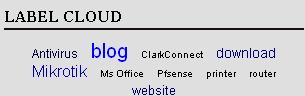
Make Tag Clouds

Tag Clouds ...


To make tag clouds, you have already made labels on your site.
Select the Dashboard to Settings and in Page Elements added a new page add the widget, select Label.

After the Edit HTML and then check the Expand Widget Templates.
Search code:


If you've met, then copy and paste the below code above:


After that, just below the code:


copy and paste the code below:


Then save the template.
The final step, still in search for Edit HTML code below:


If you have found, replace the above code with the code below:
Would that backup first template to your computer, but believe, yes directly replace.
It Accurate:)


Save Template! Done!

How To Easily Overcome Dr.Watson P.D. On the PC


Perhaps you have experienced the event when my friend wanted to copy-paste the files on pc buddy from one folder to another, pal pc suddenly raises a strange message, namely from Dr.Watson Portmortem Debugger. And when my friend clicks on the "Do not Send" pal pc suddenly become hangs instantly and can only be recovered after a forced restart.

Well, the problem I used natural and I'm angry because the pc suddenly hang and become turned off by force to make the pc back to normal. For those who have the same problem, I have a way to overcome these Debugger Portmortem Dr.Watson easily.

Overcome following way:

1. Click the "Start" menu and select "Run", then type "regedit" without quotes.

2. Next, open the folder HKEY_LOCAL_MACHINE -> SOFTWARE -> Microsoft -> Windows NT -> Current Version.

3. In the Current Version folder, find the folder Aedebug.

4. Once open, double click on the Auto text on the right hand column, then change the Value Data to 0.

5. Close regedit, then reboot the pc.
Mind Altering Words That Make People Buy

Mind Altering Words That Make People Buy

Today's feature article is:

10 Mind Altering Words That Make People Buy

Read it below!

1. Use the word "fast" in your ad. People want fast results, fast delivery, fast ordering, etc. Nowadays, we usually value our time more than our money.

2. Use the word "guaranteed" in your ad. People want to be assured they are not risking their hard earned money buying your product.

3. Use the word "limited" in your ad. People want to own or receive things that are exclusive or rare because they are considered to be more valuable.

4. Use the word "easy/simple" in your ad. People want easy ordering, easy instructions, easy to use, easy payments, etc.

5. Use the word "testimonial" in your ad. People want to see believable proof before they buy your product. It should be reputable and specific proof.

6. Use the word "discount/sale " in your ad. People want to find bargains. They could be rebates, one time sales, percentage offers, get one free offers, etc.

7. Use the word "free" in your ad. People want free incentives before they do business with you. They could be free books, accessories, services, etc.

8. Use the word "you/your" in your ad. People want to know that you are talking them. This'll make them feel important and attract them to read the whole ad.

9. Use the word "important" in your ad. People do not want to miss important information that could effect their life. People will stop and take notice.

10. Use the word "new" in your ad. People want new products or services that will improve their life like new information, tastes, technology, results, etc.

Quote of the Day:

"What is wrong with our world is that love is in short supply." -- Christopher Bryant

Thank you for being a valued subscriber !

Sincerely,
Mesmerizing Ways To Reinforce Your Profits

Mesmerizing Ways To Reinforce Your Profits

Today's feature article is:

10 Mesmerizing Ways To Reinforce Your Profits

Read it below!

1. Anticipate any objections your visitors may have about your product offer. You must research your target audience's needs and wants.

2. Remember not to use outrageous or unbelievable claims in your ad copy. People are too savvy online and won't believe you.

3. Pick a good name for your business and product. Your names should be memorable and describe the kind of product your offering.

4. Solve your customer complaints by being quick and friendly. The faster you respond, the more your customers feel you care about them.

5. Never think your customers are satisfied with their purchase. You should be constantly finding new ways to better your product and service.

6. Market yourself, as well as your product. You could write articles, ebooks, do free consulting, do speaking engagements, etc.

7. Find new target audiences for your products or services. For example, if you're selling coffee to stores try to also sell it to coffee shops.

8. Use the phrase "invest in our product" instead of the words buy or purchase. This makes prospects feel they're investing in their future if they buy.

9. Create offline affiliates to market your product. Have people sign up at your web site to sell your products through "house parties".

10. Use logos and slogans for your business. They make it easier for people to remember and identify your business.


Quote of the Day:

"Wishing to be friends is quick work, but friendship is a slow-ripening fruit." -- Aristotle

Thank you for being a valued subscriber !

Sincerely,
Magic-Like Ways To Multiply Your Orders

Magic-Like Ways To Multiply Your Orders

10 Magic-Like Ways To Multiply Your Orders

1. Use reward programs to keep people revisiting your web site and buying your products. You could reward gifts or discounts for revisiting or buying.

2. Publish e-zines for other web sites to increase your traffic. You could do it at no charge and in return just ask for a sponsor ad in each issue.

3. Trade endorsement ads with other e-zines. They pull more hits and sales than just trading classified ads because it gives your ad instant credibility.

4. Test your ad copy before you start taking orders. Tell your visitors to e-mail you if they want to be notified when you launch a new product.

5. Get your visitors excited about your product by letting them know how excited you are about it. Tell them why you're excited and use exclamation points.

6. Use incentives to gain referrals if you don't have an affiliate program. Tell people when they refer customers you will award them with free products.

7. Tell your visitors the reason why you're having a sale so they don't think your products are cheap. It could be a holiday/seasonal sale or clearance sale.

8. Stay away from overloading your web site with high tech gadgets. They can create a slow loading web page and distract people away from your offer.

9. Cut out words, phrases, and paragraphs in your ad copy that aren't selling or supporting your product. This will stop people from getting bored with your ad.

10. Keep people at your web site as long as possible. Allow them to download free ebooks, sign-up for contests, use free online services, etc.


Quote of the Day:

"Friends are an aid to the young, to guard them from error;
to the elderly, to attend to their wants and to supplement
their failing power of action; to those in the prime of
life, to assist them to noble deeds." -- Aristotle

Thank you for being a valued subscriber !

Sincerely,
10 High Powered Ways To Increase Your Traffic

10 High Powered Ways To Increase Your Traffic

Today's feature article is:

10 High Powered Ways To Increase Your Traffic

1. Trade links with other web sites. They should be related to the subject of your web site. Instead of trading links, you could also trade banner ads, half page ads, classified ads, etc.

2. Start an e-zine for your web site. When people read each issue they'll be reminded to revisit your web site. They'll see your product ad more than just once which will increase your orders.

3. Form an online community. It could be an online message board, e-mail discussion list or chat room. When people get involved in your community they will regularly return to communicate with others.

4. Write articles and submit them to e-zines, web sites and magazines that accept article submissions. Include your business information and web address at the end of the article.

5. Give away an electronic freebie with your ad on it. Allow your visitors to also give the freebie away. This'll increase your ad exposure and attract people to your web site at the same time.

6. Combine your products or services into one big package deal with other businesses offerings. You could share a web site and advertise the package deal; which means double the traffic.

7. Submit your freebie to the online directories that list your particular item or service for free. If you're offering a free e-zine, submit it to all the free e-zine directories on the internet.

8. Participate on message boards. Post answers to other people's questions, ask questions and post appropriate information. Include your signature file at the end of all your postings.

9. Exchange classified or sponsor ads with other free e-zine publishers. If there is a huge subscriber difference between e-zines, one can run more ads to make up for it.

10. Post your ad on free advertising areas on the internet. You can post it on free classified ad sites, free for all links sites, newsgroups that allow ads, free yellow page directories, etc.


"Hope is a waking dream." -- Aristotle

Thank you for being a valued subscriber !

Sincerely,
How to Show Blogger Links,Widgets in HomePage Only or Post Page Only

How to Show Blogger Links,Widgets in HomePage Only or Post Page Only

This post explains how to show the Blogger widgets( like links,adsense ads,etc) on your blogspot blog Homepage Only or Post Page Only:

Usually, by default.. when we add a widget item like link units, profile, Archives, Adsense ads,Pictures,etc in Blogger blog , it will be displayed in every page of the blog including the homepage, Permalink pages,etc. As you can see, I installed many widgets in this blog in sidebars like Google ads, Donate Me button ,etc which will be displayed in all the pages of the blog.
But, what if you want to display a specific widget like a blog link,ads in only the homepage and not in the post pages and viceversa? If you want to do so, this tip will come in handy...

HOMEPAGE Only widgets,links in Blogger:

→ As usual, if you want to add a new widget/gadget to your blog, just Sign into Blogger dashboard » Layout » Add a Gadget
and select the type of gadget you need and Save the Changes.

Next, we have to add a small piece of code to that widget, so.. it only displays in the Homepage. Just go to Edit html and tick on the 'Expand Widget Templates'.
Notes: Normally, the widgets in the template view starts with this one


For example, The label widget looks something like this:


and html widget looks like:


and link list looks like this:


(If you want to know exactly what the widget id you need to change, just go to your blog and view the source code and find it.
In Firefox : View » Page Source
In IE : View » Source )

Just below that widget id link, You can see a b:includable tag like this..


At this point, most of the task is completed.. Just we have to add a small piece of code below that b:includable tag..

the code is


and the last thing is, we have to close that b:if tag. Just add this code before the closing tag of b:includable.
Like this:


So, the final code looks similar like the below screenshot:

That's it! and Don't forget to Save the Changes.
Now, your desired widget/gadget can only be visible in Homepage.

Showing in only Post Pages (Permalink pages):


This will allow you to show a specific widget in only the Post Pages and not in the Homepage.
Just follow the same tutorial above but replace this code.

with this one:


Showing Widgets on a Specific Blog Post url:


If you want to dispaly a specific widget on on a particular blog post, just simply follow the above tutorial, but replace this code:

with this one:


That's it!
Like this post or have any questions? Comment here..

Get Free One Way Backlinks to your site

Get Free One Way Backlinks to your site

One way backlinks are very critical to any website success. The more one way backlinks pointing to your site, the more your Google Pagerank and the more amount of traffic you will get. This should also increase your sales,etc.
But the thing is.. getting the right and quality one way backlinks from high pagerank sites is not an easy task, and in this article, we'll find out some of the best ways to get free one way backlinks:

1. Try to write as much quality content as you can... that will encourage the readers to link to your site. The more useful, informative content you post, the more likely people are to link it. But, this method can take a while to really pay off because like all the new websites, you don't get much traffic.

2. Write quality articles and submit them to top article directories like ezinearticles and goarticles. The advantage in this is, you'll not only get a backlink from high pagerank directories, but also you'll find that your articles are used on other people's sites with a backlink to your site.

3. Participate in forums,discussion boards that are related to your website's niche and add a link to your site in the signature. Make sure that you write quality posts, don't spam. This will also help you get some decent traffic to your site.

4. There is absolutely nothing wrong to get a backlink from a related blog post you decide to comment on. This is one of the effective way of one way link building especially if you comment often on blogs. Comment on blogs related to your niche with a link back to your site as your signature.. and Again, make sure you never spam.

5. Submit your site link to major, well known web directories. Getting listed in directories related to your site not only bring you tons of targetted traffic, but will also improve your search engine rankings. Some of the popular directories to get listed in are DMOZ directory and Yahoo directory. You can submit your link to both paid and free directories and they worth your time.

Resetter Canon IP 2770 "error number : 5200"

This time we will discuss Blink 13x Orange on the Canon iP2770. This incident may be quite confusing for who have never experienced it. OK just go to the scene ...


Early indications:
When the printer is turned on seems OK, but after the print command, it would appear Blink iP2770 Canon 13x Orange on this. Here's a picture which appears on the screen:


How to Cope with iP2770 Canon 13x Orange Blink:

1. If performed Blink 13x Orange with the picture above, means catrid color requires reset (having runout).

2. How: press the Resume button until the printer sounds a long process, then release.

3. If an Orange Blink 13x, meaning black catridge also need a reset (having runout), and the picture is as follows:


4. Same way: press the Resume button until the printer sounds a long process, then release.

5. Done, printer iP 2770 distinguished Blink 13x Orange will return to normal.

This often happens when the cartridge runs out finished refilled and then installed again.

For "error number 5200"


There are two ways: manually or via software.

Manual:

1. The printer is turned off and plugged the power cord.
2. Press Resume button 2 seconds
then press the POWER button until the green light on (when pressing the POWER button, Resume button ... do not released first)
3. Then release the RESUME button, but do not release the POWER button.
4. While the POWER button is still depressed, press the Resume button 5 times. Led will light turns green orange with the last glow orange. (Do not be mistaken 4x because the printer will die completely, but it is temporary too) Then ...
5. Release both buttons simultaneously.
6. Led will blink briefly and then will glow GREEN.
7. Press the POWER button, then the printer will die.
8. Press the POWER button again then the printer will flash and ... IP2770 Printer is ready for use.


Software:

1. Prepare 2 blank paper in the printer
2. In the menu "Clear Ink Counter" click "Play" and "Platen"
3. Click Test Print ... Done.

Location resetter software is below.

Good luck ...


User Manager Mikrotik


Mikrotik User Manager is a management system that can be used to manage users as follows:

1. HotSpot users
2. PPP (PPTP / PPPoE) users
3. DHCP users
4. Wireless users
5. RouterOS users.

This paper reviewed some of the User Manager for hotspot users. Previous hotspot and dhcp server package should have installed / enabled and configured prior to Mikrotik RouterOS. The assumption in this paper consists of a WLAN RouterOS and 1 ether. Ether as an interface that is connected to the internet while the wlan as an interface that connects to a hotspot client.Ip 192.168.0.40 ether and wlan 1 with ip 172.16.0.1/24. The steps are as follows:

1. Set the DHCP server on interface wlan1 (Set DHCP server on the previous posts).
2. Set Hostpot
/ Ip hotspot profile set hsprof1 use-radius = yes
3. Set the Radius Client for the User Manager to handle hotspots
/ Radius add service = hotspot address = 172.16.0.1 secret = 123 456
For the record first authenticate hotspot users will read on the database / ip hotspot user print. Remove the data in this directory for authentication on radius.

4. Install the User Manager

- Open system Winbox or packages from terminal

/ System / packages / print
- If no user package manager to install first. Because the user-manager is a separate package from the router os MT. Make sure the outer version of the same OS user version of the package manager. For example if we os router 2.9.50 then user-manager package should also be 2.9.50.
Download from http://www.mikrotik.com/download.html, select one user-manager package from the package zip-2.9.x.npk
- Upload via FTP program to Mikrotik Server
- Reboot Mikrotik Server
- Check system, packages such as No. 1, if the user's active managers have not turned on first and then reboot. If you have active
- Open http://192.168.0.40/userman
- If it can open the user manager login page, it means the user manager is already active.

5. Create a User Manager On behalf of Subscriber
/ Tool user-manager customer add login = "admin" password = 123 permissions = owner
6. Create Hotspot Router
/ Tool user-manager router add subscriber = admin ip-address = 172.16.0.1 shared-secret = 123 456
7. Create a User to Hotspot
/ Tool user-manager user add username = rio password = 123 dawn subscriber = admin

Please try to conn hotspot with a laptop and User Manager can be accessed via http://192.168.0.40/userman. The menus contained there in, among others, login status, add users, delete users, log and others. Such complete http://wiki.mikrotik.com/wiki/User_Manager/Customer_page

Website translator with flag countries

Blog Tips and Trick will discuss about how to install the Translator widget complete with a picture of the flag of each country. Probably most of the bloggers already know how to make or install this Translator widget. but what of the bloggers is a beginner like me, maybe some of the bloggers is a beginner like me still need tips like this. I think this widget is very important also to be installed on the blog page. but can to decorate the blog itself will also be extremely helpful for the visitors. especially for visitors from overseas who are not familiar with the language used on our blog. for the appearance of the widget is something like the image below.


Translator widget that you see as in the example picture above, the form will display its flag march elongated when we put it in part as the header, navbar and the like. because forms appearance of the widget itself will follow the hall from where the widget itself. for example, this widget you put on the side bar of your blog. the form of this widget will not elongate, but will form part of the width square. depending the side bar.

Without the need to talk again swapped, for those of you who are interested in installing the widget translator plus 34 this flag. way is as follows.

1. You login to blogger, then go into the menu layout / layout>> page element.
2. Add a new gadget by clicking the add a gadget by selecting the gadget HTML / javascript.
3. The next step is, you copy all existing code below.


Mikrotik Bandwith control on ADSL link

Mikrotik Bandwith control on ADSL link

I used the MikroTik / RouterOS as my gateway to the Internet. It servers as a PPPoE-client (as my ISP uses PPPoE over ASDL), a router and AP. It does the job perfectly, but with a range of different clients connected, some more "important" that other, and a relatively slow internet connection, I want to shape and prioritize the the traffic going to and from the internet.

Since the ADSL modem has a small buffer and a tendency to slow everything down when it's full, the MikroTik must never send more than about 95% of the up- and download-speed of my line. After some bandwidth-test I figured out I had a real speed of 5660/563. Using that, I started with the challenge of limiting the data-traffic.

Download artikel here
Mikrotik Hotspot Introduction

Mikrotik Hotspot Introduction

HotSpot is a way to authorize users to access some network resources, but does not provide traffic encryption. To log in, users may use almost any web browser (either HTTP or HTTPS protocol), so they are not required to install additional software. The gateway is accounting the uptime and amount of traffic each client have used, and also can send this information to a RADIUS server. The HotSpot system may limit each particular user's bitrate, total amount of traffic, uptime and some other parameters mentioned further in this document.

The HotSpot system is targeted to provide authentication within a local network (for the local network users to access the Internet), but may as well be used to authorize access from outer networks to access local resources (like an authentication gateway for the outside world to access your network). It is possible to allow users to access some web pages without authentication using Walled Garden feature.

Download Manual Mikrotik Hotspot Introduction

Mikrotik Hotspot Setup


The MikroTik HotSpot Gateway provides authentication for clients before access to public networks .

HotSpot Gateway Setup:
- different authentication methods of clients using local client database on the router, or remote RADIUS server;
- users accounting in local database on the router, or on remote RADIUS server;
-walled-garden system, access to some web pages without authorization;
-login page modification, where you can put information about the company;
-automatic and transparent change any IP address of a client to a valid addres.

Download

HotSpot Profile
Hotspot server profiles. There may be various different HotSpot systems, defined as HotSpot Server Profiles, on the same gateway machine. One or more interfaces can be grouped into one server profile. There are very few settings for the servers on particular interfaces - most of the configuration is set in the server profiles. For example, it is possible to make completely different set of servlet pages for each server profile, and define different RADIUS servers for authentication.
Download

HotSpot User
This is tutorial, where client's user/password information is actually added, additional configuration options for HotSpot users are configured here as well.
Download


HotSpot Walled Garden
This is tutorial, where client's user/password information is actually added, additional configuration options for HotSpot users are configured here as well.
Download
How to add a PAYPAL DONATE button

How to add a PAYPAL DONATE button

Adding a Paypal donation button to your blog will give your loyal readers a chance to support(encourage) you by donating a few bucks.
If you don't have a paypal account yet,.. you can get a Free Paypal account here.

so,let's see how to put a Paypal donation button in your blog...


1.First,Log in to your Paypal account.
First,Log in to your Paypal accoun
2.Click on the 'Merchant Services' tab (see at the top of the page).

Click on the 'Merchant Services' tab (see at the top of the page)
3.Scroll down the window and you will see an option "Donations" in the right sidebar.Click on it!
Scroll down the window and you will see an option

4.Now,you will see some options like Donation name/service ,donation id,etc etc...
The first field (Donation name/service) is the only thing that is required and all the remaining fields are optional.
Enter that first field,choose a button style,scroll down the window and click on "Create a button Now"
click on

5.Now,you will see some html code... Copy it and sign in to your blogger dashboard »» Click on the layout »» Add a Page element »» html/javascript »» and paste that html code and SAVE THE CHANGES.

Here is how the button will look in your sidebar

NetPersec TCP/IP Accelerator

NetPersec TCP/IP Accelerator

Accelerator program is arguably good enough ... with the features it has .. and simple setting that can suck the bandwidth exceeds the available capacity. It has been proved by the author of bandwidth capacity available "only" 512Kbps, with this program are able to download with 2x speed .. The program is very helpful for the for the Pengoprek to the needs of the download. Here are the authors attach the downloads that reach 1.2Mbps even more than that, Max download only 2.2 Mbps. In addition, this program has a capacity of only 400kb only. Please adjust your settings as shown below after you download the program links them ....

fitur1

fitur2

fitur3

This program can be downloaded at in here.

Congratulations mengoprek Bozzzz ... ... ..
by tamampapua